小米 Mini OpenWRT 下配置 shadowsocks

15,707 views次阅读
2 条评论

提醒:本文最后更新于2025-06-19 10:40,文中所关联的信息可能已发生改变,请知悉!

前言

小米mini如何刷OpenWRT 我就不再重复了,可以参考

https://www.hopolcn.com/2015/03/%E5%85%B3%E4%BA%8E%E8%B7%AF%E7%94%B1%E5%99%A8%E5%88%B7-uboot-%E7%9A%84%E5%B0%8F%E7%9F%A5%E8%AF%86/

刷机原则,先备份,刷U-Boot不死,再折腾固件。

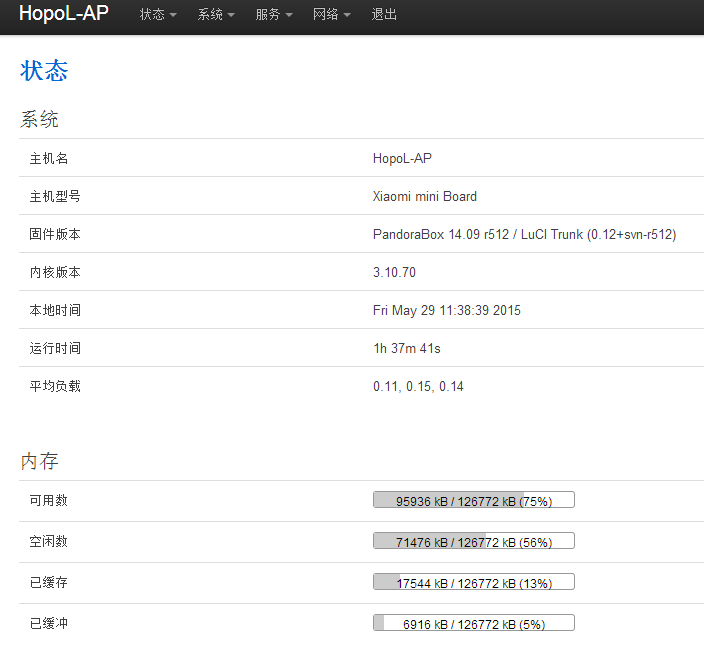
我刷的是 PandoraBox-ralink-mt7620-xiaomi-mini-squashfs-sysupgrade-r512-20150309.bin 固件
小米 Mini OpenWRT 下配置 shadowsocks


本文需要用到的东西


配置步骤


删除软件包

删除无用或者旧的软件包

我刷的R512固件 自带 shadowsocks ChinaDNS-C dnsmasq-full

我只保留 dnsmasq-full 前面两个删除。


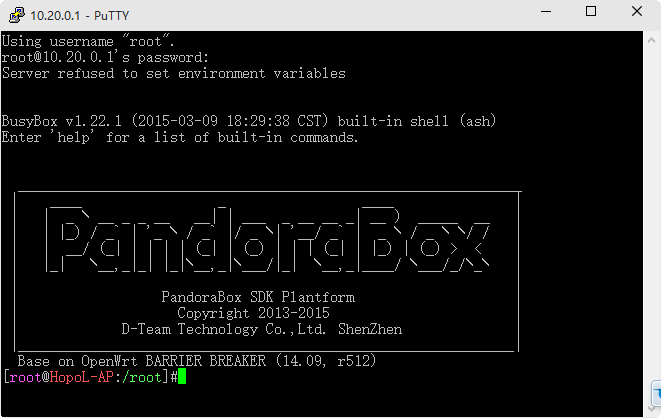
PuTTY 登录SSH后台
小米 Mini OpenWRT 下配置 shadowsocks

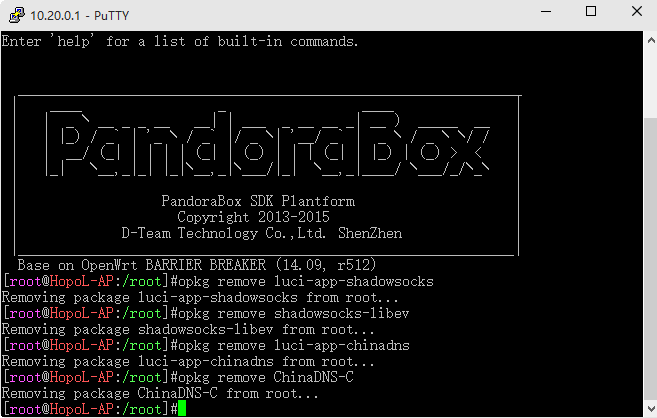
按顺序输入如下命令:

  1. opkg remove luci-app-shadowsocks
  2. opkg remove shadowsocks-libev
  3. opkg remove luci-app-chinadns
  4. opkg remove ChinaDNS-C

小米 Mini OpenWRT 下配置 shadowsocks


安装shadowsocks-libev-spec

网址如下:

http://sourceforge.net/projects/openwrt-dist/files/luci-app/shadowsocks-spec/luci-app-shadowsocks-spec_1.3.2-1_all.ipk/download

http://sourceforge.net/projects/openwrt-dist/files/shadowsocks-libev/2.1.4-87ec497/ramips/shadowsocks-libev-spec_2.1.4-1_ramips_24kec.ipk/download


然后将

shadowsocks-libev-spec_2.1.4-1_ramips_24kec.ipk

luci-app-shadowsocks-spec_1.3.2-1_all.ipk

拷贝到 小米Mini 的 /tmp 下备用
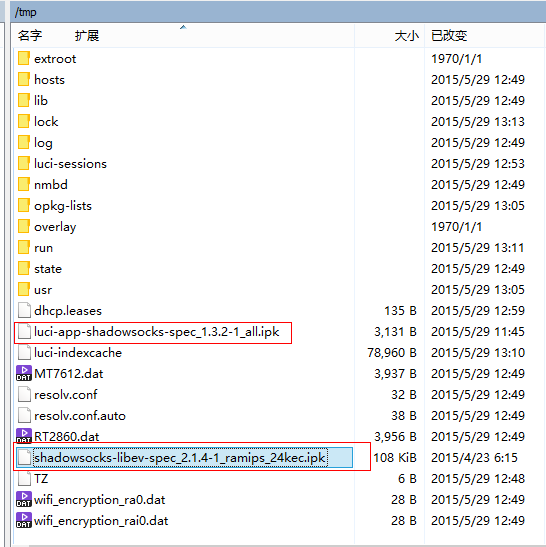
小米 Mini OpenWRT 下配置 shadowsocks

个人习惯先配置 dnsmasq 后安装,所以:

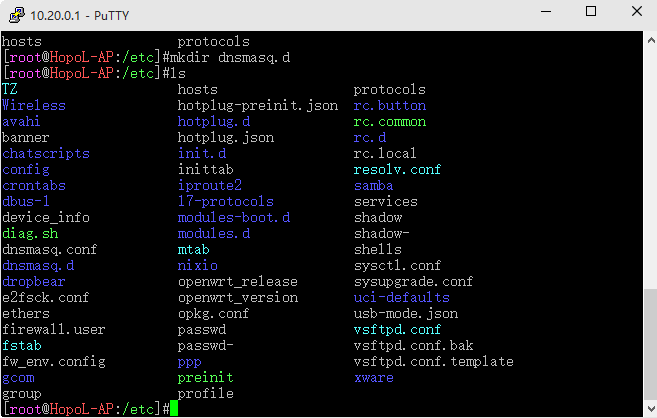
在 /etc 下新建 dnsmasq.d 目录
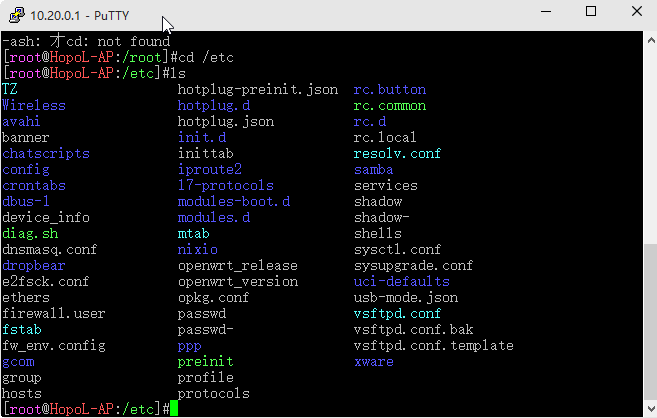
小米 Mini OpenWRT 下配置 shadowsocks

小米 Mini OpenWRT 下配置 shadowsocks

cd /etc/dnsmasq.d

wget http://www.ilucong.net/file/Black_List.conf

链接已经失效
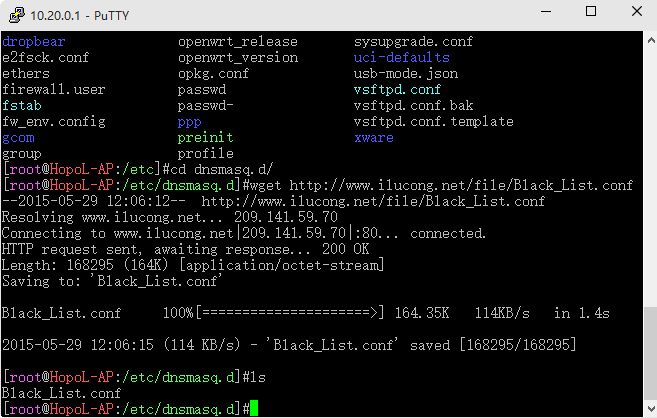
小米 Mini OpenWRT 下配置 shadowsocks


编辑/etc/dnsmasq.conf文件

在底部添加

conf-dir=/etc/dnsmasq.d

这句话。
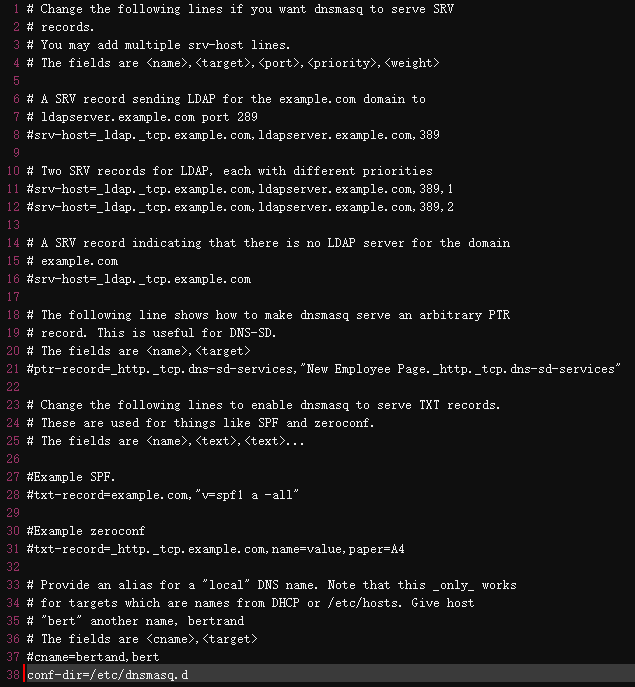
小米 Mini OpenWRT 下配置 shadowsocks

接下来就可以安装 shadowsocks 了

更新一下

opkg update


cd /tmp

opkg install shadowsocks-libev-spec_2.1.4-1_ramips_24kec.ipk

opkg install luci-app-shadowsocks-spec_1.3.2-1_all.ipk


设置shadowsocks账号

openwrt后台——服务——shadowssocks

【启用】要打上勾,

【使用配置文件】要去掉勾,然后会出现输入账号信息的表单,填写好

【代理方式】下拉菜单,选择全局代理

【访问控制】【LAN】下拉菜单选择白名单,填入1.1.1.1

点右下角保存&应用
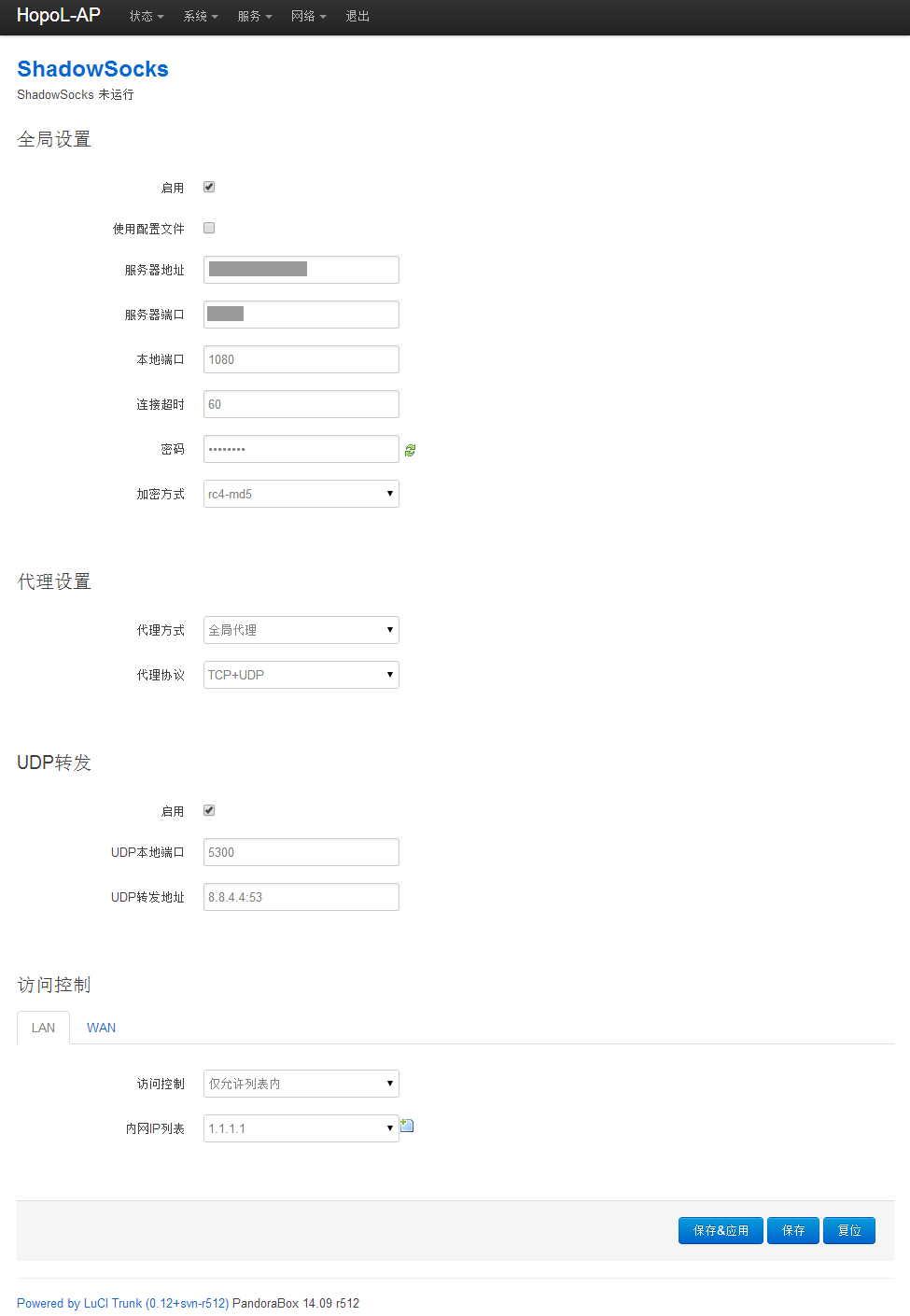
小米 Mini OpenWRT 下配置 shadowsocks


添加自定义防火墙规则

openwrt后台——网络——防火墙——自定义规则,下面粘贴如下代码:

  1. ipset -N redir iphash
  2. iptables -t nat -A PREROUTING -p tcp -m set --match-set redir dst -j REDIRECT --to-port 1080
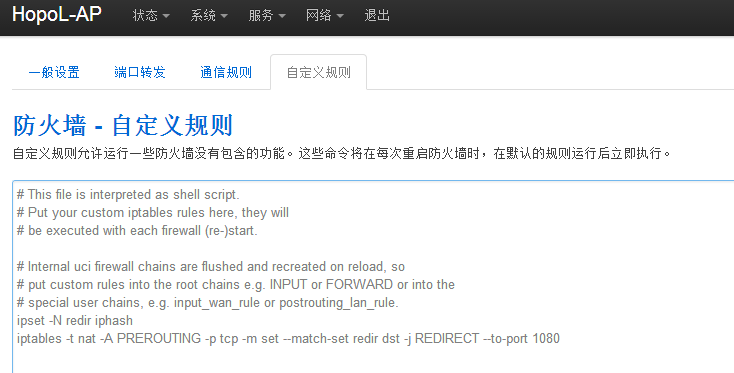
小米 Mini OpenWRT 下配置 shadowsocks

这里的65500不是固定的,是shadowsocks账号的本地端口(local_port)。

提交确定后,一切都完成了。


测试一下

打开  http://www.ip.cn
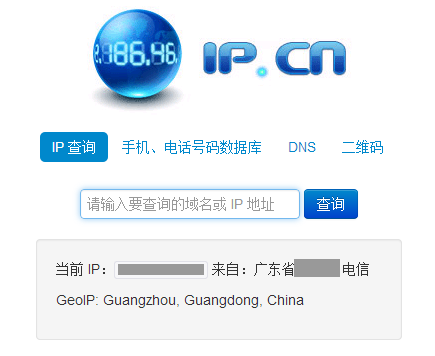
小米 Mini OpenWRT 下配置 shadowsocks

看到的是本地 IP 不是 翻墙VPS 的IP


再打开 http://www.whatismyip.com
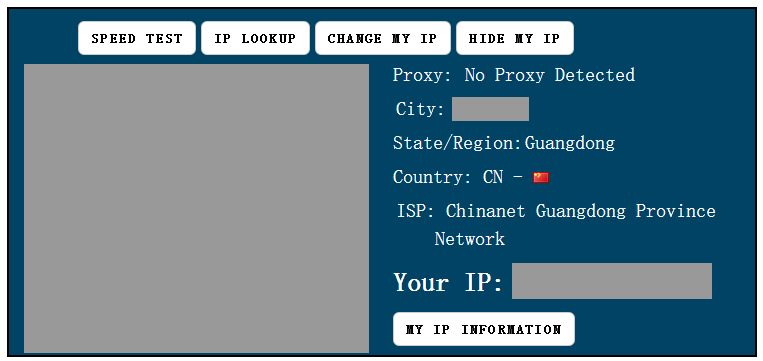
小米 Mini OpenWRT 下配置 shadowsocks

同样 看到的也是 本地IP


最后打开 youtube.com

能正常打开 呵呵,游戏结束。


正文完
 0
HopoL
版权声明:本站原创文章,由 HopoL 于2015-05-29发表,共计1709字。
转载说明:除特殊说明外本站文章皆由CC-4.0协议发布,转载请注明出处。
评论(2 条评论)
1222 评论达人 LV.1
2018-05-25 15:55:01 回复

Black_List.conf 已无法下载,是否能再发一个出来

 Windows  Chrome  德国法兰克福法兰克福
    hopol 博主
    2018-05-27 02:25:34 回复

    @1222 教程老旧,已经找不回

     Windows  Chrome

HopoL's Blog

文章搜索
最新评论
Metaldololity Metaldololity Whoa, that's really simple. You just save my time a lot. Thankyou!
HopoL HopoL Since you’ve got the backup, it’s actually pretty simple. Just restore the backup files to your new flash drive, then head over to the /config directory and edit the go file. Look for export UNRAID_GUID=xxxxxxxxxxxxxx and swap it with your new drive's GUID. That should do the trick!
Metaldololity Metaldololity Really apreciate for your fast respond, mate. I actually have the backup of the flashdrive (from regular unraid backup). The problem is, when i search on youtube tutorial about changing the failed flashdrive, the process need some sort of confirmation with an account in unraid (blacklist the old one -> whitelist the new one). Since i have a cracked unraid, i don't know how to register my new flashdrive as the correct one (and the system not asking me for the old failed flashdrive). Thanks in advance
HopoL HopoL Man, that's a tough spot to be in. Regularly backing up your /boot folder is super important for exactly this reason. If you don't have a backup and your flash drive is completely fried, your best bet is to Google some specific recovery guides or check the Unraid forums. There are ways to rebuild your config by identifying your parity and data drives, but it can be a bit of a process. Hope you can get it sorted!
Metaldololity Metaldololity Hi! Huge thanks for the update on 7.2.0. I have question here, my flashdrive corrupted. how do i install it on the new flashdrive without losing all my configuration?